The inside margin grows with page count
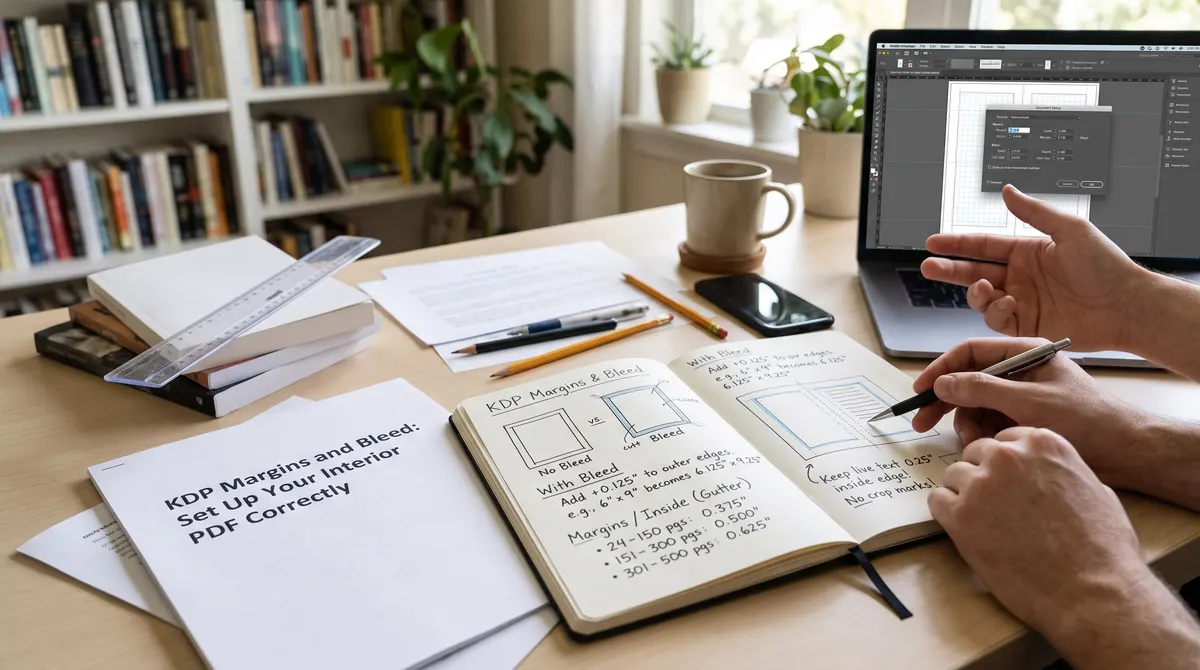
The inside margin, also called the gutter, is the space next to the spine. A thick book curves more near the binding, so KDP asks for more space as the page count rises.
| Page count | Minimum inside margin |
|---|---|
| 24 to 150 | 0.375 in |
| 151 to 300 | 0.5 in |
| 301 to 500 | 0.625 in |
| 501 to 700 | 0.75 in |
| 701 to 828 | 0.875 in |
Key takeaway: These are minimums. A little extra inside margin makes a book easier to read, especially past 300 pages.
Outside margins
The top, bottom and outer edge need at least 0.25 inches if your pages have no bleed. If they do have bleed, the minimum is 0.375 inches. Keep real content, such as text and page numbers, well inside these lines.
When you need bleed
Bleed means artwork that runs past the trim edge so no white line shows after cutting. You only need it if an image or color goes right to the edge of a page. A text-only novel does not need bleed.
With bleed, the page gets bigger. Add 0.125 inches to the width and 0.25 inches to the height. A 6 x 9 inch book becomes 6.125 x 9.25 inches.
Common mistakes
- Setting the page to the trim size when the file includes bleed, or the other way round.
- Using the margin for a 200-page draft and then adding 150 pages.
- Placing page numbers or running heads inside the outside margin.
- Mixing page sizes inside one PDF.
A worked example
Take a 6 x 9 inch book with 320 pages and bleed. The inside margin for 301 to 500 pages is at least 0.625 inches, and the outside margins are at least 0.375 inches because of the bleed. On the trimmed page that leaves a text block of 6 - 0.625 - 0.375 = 5.0 inches wide and 9 - 0.375 - 0.375 = 8.25 inches tall. The exported PDF page is 6.125 x 9.25 inches.
Page numbers and running heads
Page numbers, chapter titles and running heads are content, so they must sit inside the margins as well. A page number placed in the outside margin is a common cause of a warning.
Fonts and images
- Embed your fonts. A PDF that depends on fonts on your computer can change when printed. Export with fonts embedded.
- Use sharp images. KDP recommends high-resolution images for print, typically 300 dpi at the size used. Check KDP's help page for current guidance.
- Keep one page size. Mixed page sizes in one file cause errors.
Gutter problems you can spot early
Print a few pages on ordinary paper at 100% scale, fold them along the inside margin and read them. If the words curve into the fold, increase the inside margin. This test costs nothing and shows problems a screen hides.
A short pre-upload checklist
- Page count final and matches the margin row you used.
- Page size matches the trim size, with bleed added only if needed.
- Fonts embedded, images sharp.
- Page numbers inside the margins.
- File tested in the checker and in KDP's previewer.
Test the file before you upload
Our interior PDF checker reads your file in your browser and checks page count and every page size against your trim size and bleed setting. Your file is never uploaded. Then open KDP's previewer to check margins by eye. The trim size guide covers the choice that comes before this one.
Check before you publish
KDP can update its margin rules. Confirm the numbers on KDP's trim size and margins page before you finalize a file.