What KDP counts as a large trim size
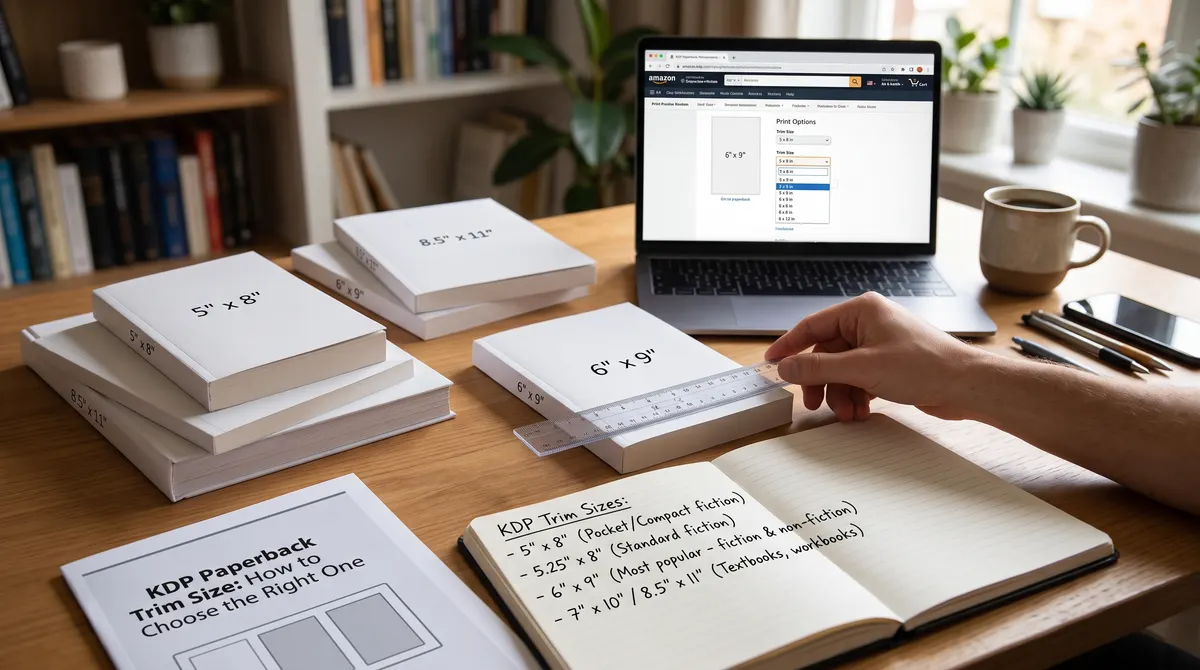
KDP groups trim sizes by whether they are large. A book is large when it is wider than 6.12 inches or taller than 9 inches. That means 6 x 9 is a regular trim size, and 6.14 x 9.21 and 8.5 x 11 are large.
Key takeaway: A page that is only a fraction of an inch bigger can push you into a higher cost bracket.
How trim size changes printing cost
On Amazon.com a black-ink book over 110 pages costs $1.00 fixed plus $0.012 per page for regular trim sizes, or $0.017 per page for large ones. At 300 pages that is $4.60 against $6.10, a difference of $1.50 per copy. See our pricing examples for what that does to your royalty.
Page limits by trim size
KDP sets a minimum and maximum page count for each trim size, paper and ink combination. The limits are not the same for every size.
| Trim size | Black ink, white paper | Black ink, cream paper |
|---|---|---|
| 6 x 9 in | 24 to 828 pages | 24 to 776 pages |
| 8.25 x 8.25 in | 24 to 800 pages | 24 to 750 pages |
| 8.5 x 11 in | 24 to 590 pages | 24 to 550 pages |
Standard color has its own range, from 72 to 600 pages on most sizes. Check KDP's page for your exact combination.
How to choose for your genre
- Fiction: choose a compact size such as 5.5 x 8.5 or 6 x 9. It feels like a normal novel and keeps cost down.
- Nonfiction and memoir: 6 x 9 is a common choice because it fits headings, lists and short images.
- Workbooks, planners and journals: readers write in them, so a large size such as 8.5 x 11 is often worth the extra cost.
- Picture-heavy books: a square or wide format can suit illustrations, but check the page range and color cost first.
Which sizes count as large
Using KDP's rule (wider than 6.12 inches or taller than 9 inches), here is how common sizes sort:
| Trim size | Class | Why |
|---|---|---|
| 5 x 8 in | Regular | Within both limits |
| 5.5 x 8.5 in | Regular | Within both limits |
| 6 x 9 in | Regular | Exactly at the height limit |
| 6.14 x 9.21 in | Large | Wider and taller than the limits |
| 8.5 x 11 in | Large | Wider and taller than the limits |
A cost example
For a 250-page black-ink book on Amazon.com, a regular trim size costs $1.00 + 250 x $0.012 = $4.00. A large trim size costs $1.00 + 250 x $0.017 = $5.25. That is $1.25 per copy, and it comes straight out of your royalty.
Smaller pages can mean more pages
A smaller page holds fewer words, so the same text takes more pages. As an illustration, if a book takes 250 pages at 6 x 9 and about 280 pages at 5.5 x 8.5, the regular-trim costs are $4.00 and $4.36. Within the regular sizes, a larger page can lower the cost because you need fewer of them. Your own numbers will differ, so test both in your layout.
Mistakes to avoid
- Choosing a large size for looks without checking the cost.
- Picking a size that is not in KDP's list. Use the exact size KDP offers.
- Designing the cover before the trim size is final.
- Forgetting that a different trim size means a different page count.
A short decision routine
- Look at five bestselling books in your genre and note their sizes.
- Pick the closest size KDP offers.
- Format a sample chapter and see how many pages the book will have.
- Compare the printing cost for your top two sizes.
- Choose, then lock it.
Lock it in before you design the cover
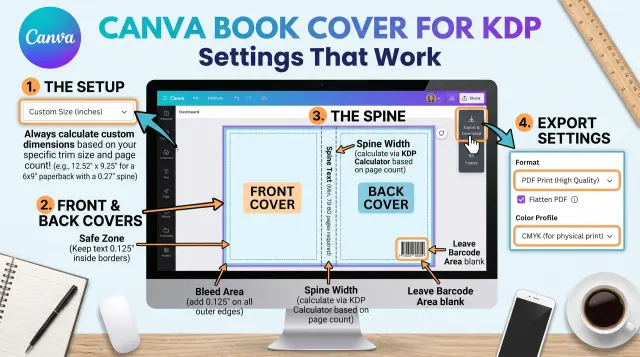
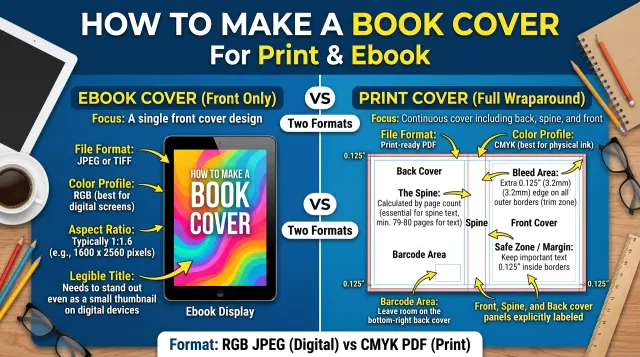
Trim size and page count decide your spine width and cover size. Pick the trim size first, finish the interior, confirm the page count, then build the cover. The cover calculator works out the full wrap size for every KDP trim size.
Check before you publish
KDP updates trim sizes and limits from time to time. Confirm your choice in the KDP title setup and in its previewer before you order a proof.