What is a copyright page?
Key takeaway: The copyright page states who owns the book and who published it.
A copyright page in a book is a front matter page that states who owns the copyright. It also shows when the book was first published. It may list the publisher, ISBN, edition and credits. It sits after the title page.
The copyright notice is the core. It tells readers that the work is protected and who owns it. The rest of the page adds helpful details.
Think of the page as a short record. It answers four questions.
- Who owns the work?
- When was it first published?
- Who published it?
- How can the book be identified?
You will see this page in almost every printed book. Ebooks also include it, usually near the start. A book copyright page also helps stores, libraries and reviewers confirm the basic details of your title.
The page differs from a dedication or acknowledgements. Those pages are personal. The copyright page is factual.
What the law says about a copyright notice
Key takeaway: A notice is optional for books published after March 1, 1989, but it is still good practice.
The US Copyright Office is the government office that records copyright claims. Its Circular 3 explains the notice.
A notice is optional for works published on or after March 1, 1989. Copyright exists without it. Still, the notice helps readers and shows that you claim the work.
A notice has three elements:
- The © symbol, or the word "Copyright" or the abbreviation "Copr."
- The year of first publication.
- The name of the copyright owner.
The Copyright Office gives this example: © 2007 Jane Doe.
Here is how that looks for a new book. Say you first publish in 2026 under the name Jordan Lee.
- Symbol: ©
- Year: 2026
- Owner: Jordan Lee
- Notice: © 2026 Jordan Lee
That line is enough for a valid notice. Everything else on the page is extra.
If you write under a pen name, the owner can be your legal name or your pen name. Check the Copyright Office guidance if you are unsure.
Where does the copyright page go?
Key takeaway: It goes after the title page, on a left-facing page, with no page number.
Front matter is everything before the main text. Amazon KDP is Amazon's self-publishing service for ebooks and paperbacks. Its front matter guide gives this order:
- Half title page
- Title page
- Copyright page
- Reviews or praise
- Dedication
- Table of contents
- Preface
- Acknowledgments
- Prologue
- Introduction
KDP says the copyright page is the first left-facing page after the title page. It should have no page numbers and no headers.
In a print book, the title page sits on a right-facing page. Its back, the left-facing page, holds the copyright details. That is why the page is often called the "title page verso."
If you ask where is the copyright page in a book, look at the back of the title page. In an ebook, it usually appears right after the title page.
What to include: required vs optional
Key takeaway: Only the notice matters legally. Everything else is helpful detail.
Use this table to decide what goes on your page.
| Item | Status | Example |
|---|---|---|
| Copyright notice | Core | © 2026 Jordan Lee |
| All rights reserved | Optional | All rights reserved. |
| Publisher or imprint | Optional | Published by Harbor Lane Press |
| ISBN | Optional | ISBN: [your number] |
| Edition | Optional | First edition, 2026 |
| LCCN | Optional | See below |
| Credits | Optional | Cover design by Priya Patel |
| Disclaimer | Optional | This is a work of fiction. |
Add what fits your book. A novel often needs a fiction disclaimer. A nonfiction guide may add a short note about advice.
An ISBN is the number that identifies a book edition. It is optional on the page, but many authors print it. If you are unsure whether you need one, the ISBN guide explains your options.
Free copyright page template and example
Key takeaway: Fill in the brackets and delete anything that does not apply.
Here is a free copyright page template. Replace the text in brackets.
Copyright © [Year] [Your Name]
All rights reserved.
No part of this book may be reproduced without written permission from the author. Brief quotations in reviews are allowed.
This is a work of fiction. Names, characters and events are the product of the author's imagination.
Published by [Imprint or Your Name]
ISBN: [Your ISBN]
First edition, [Year]
Cover design by [Name]
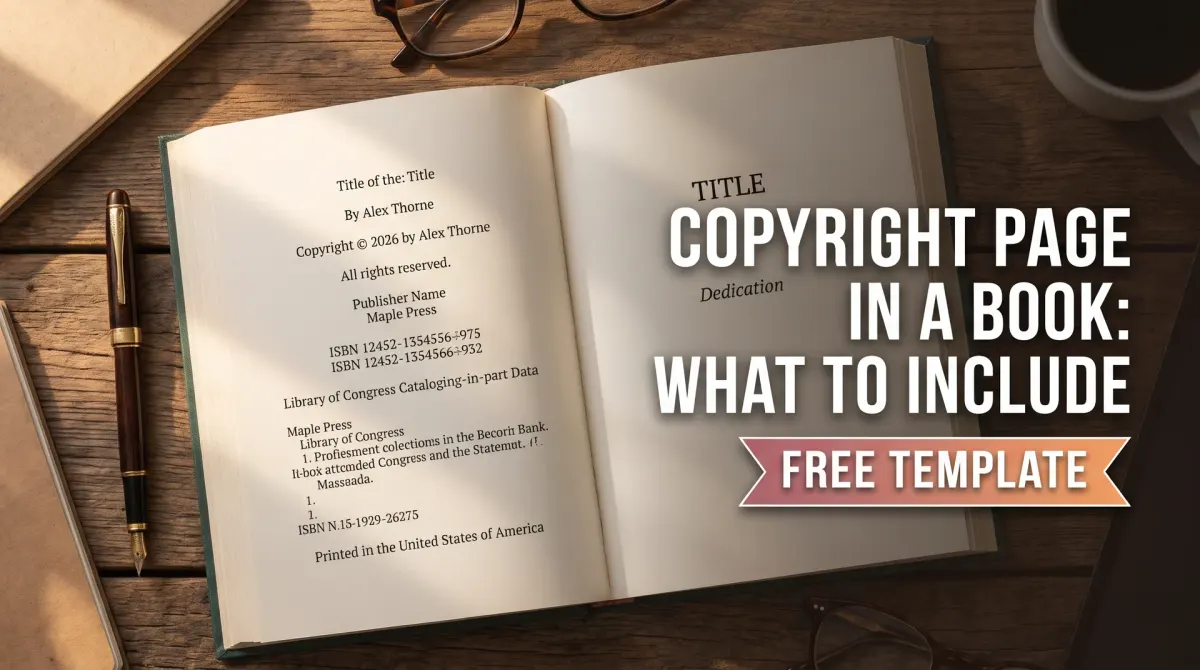
Here is a copyright page example, filled in. It works as a sample copyright page for self-published book projects.
Copyright © 2026 Jordan Lee
All rights reserved.
No part of this book may be reproduced without written permission from the author. Brief quotations in reviews are allowed.
This is a work of fiction. Names, characters and events are the product of the author's imagination.
Published by Harbor Lane Press
First edition, 2026
Cover design by Priya Patel
The wording is a plain, common form. It is not legal advice. If you want custom terms, ask a lawyer.
Keep the page short. It should fit on one page with white space. Use a small, plain font. Center the text or align it left.
Your book copyright page also sets the tone for the whole file. A clean, correct page tells readers and reviewers that the rest of the book is careful too. A messy one does the opposite.
Library of Congress Control Number: do you need one?
Key takeaway: An LCCN is optional. Self-publishers can apply for a Preassigned Control Number if they qualify.
A Library of Congress Control Number, or LCCN, is a unique number the library assigns to a book record. Libraries use it to catalog books.
The Library of Congress runs a Preassigned Control Number program, or PCN. The eligibility page says the place of publication on your title or copyright page must be in the United States. Authors also need a US phone number. You apply through a PrePub Book Link account.
If you receive a number, print it on the copyright page in this form: Library of Congress Control Number: 2019012345. The Library gives that as its example.
The Library's CIP program is not for self-publishers. Do not add a "Cataloging-in-Publication" block unless a library has supplied one.
An LCCN is optional. Many self-published books skip it. Add one only if libraries are part of your plan.
Tips for a clean copyright page
Key takeaway: Keep the page short, accurate and consistent with your cover and store listing.
A few habits prevent errors.
- Match your names. The author name should match your cover and your KDP listing.
- Match your dates. The year should match your first publication year.
- Use one style. Pick "All rights reserved" or skip it, and use the same wording in every book.
- Keep a master copy. Save the page as a reusable file and update only the brackets.
- Review after changes. If you add a new edition or a new ISBN, update the page.
Study a copyright page example from two or three books in your genre. Then compare each one to a sample copyright page for self-published book authors, like the one above. Copy the structure, not the exact words.
Each new edition may need a new line. For example, "Second edition, 2027" tells readers the text changed. Keep the original notice line unless you have legal advice to change it.
If you work with a formatter or an editor, ask them to check the page. A second pair of eyes catches typos in names and numbers. Then file the final version with your other book records.
How to write a copyright page: steps
Key takeaway: Start with the notice, then add only the lines your book needs.
If you want to know how to write a copyright page, follow these steps.
- Write the copyright notice.
- Add "All rights reserved" if wanted.
- Add publisher and edition lines.
- Add your ISBN if you have one.
- Add a disclaimer if needed.
- Remove page numbers and headers.
- Place it after the title page.
Check each line twice. A wrong year or a misspelled name is easy to miss.
People Also Ask
Is a copyright page required?
No. A copyright notice is optional for works published on or after March 1, 1989. Copyright exists without it. Most authors still include the page because it shows ownership, lists publisher details and meets reader and store expectations. Most self-published books include one.
What year goes on the copyright page?
Use the year of first publication. The Copyright Office lists the year of first publication as one of the three parts of a notice. If you publish in 2026, write 2026. A later edition may add its own line. Keep the original year on the notice.
Can I use a template for my copyright page?
Yes. A template is a common starting point. Replace the brackets with your details and remove lines that do not apply. A template is general information, not legal advice. Ask a lawyer if you need custom terms. Check each line fits your book first.
Common mistakes
Key takeaway: Most copyright page errors are small and avoidable.
- Using the wrong year.
- Misspelling the owner's name.
- Adding a page number or header.
- Including a CIP block you did not receive.
- Copying text that does not match your book.
Your next step: build your page in ten minutes
Copy the template above. Fill in the brackets and delete unused lines. Check the year and the name. Then place the page after your title page.
Before you publish, run a final check on the whole book.