Where authors can sell books online
Key takeaway: Authors have three routes: online stores, distributors and their own website. Most use a mix.
Many writers ask where can i sell books online. Start by knowing the three main routes.
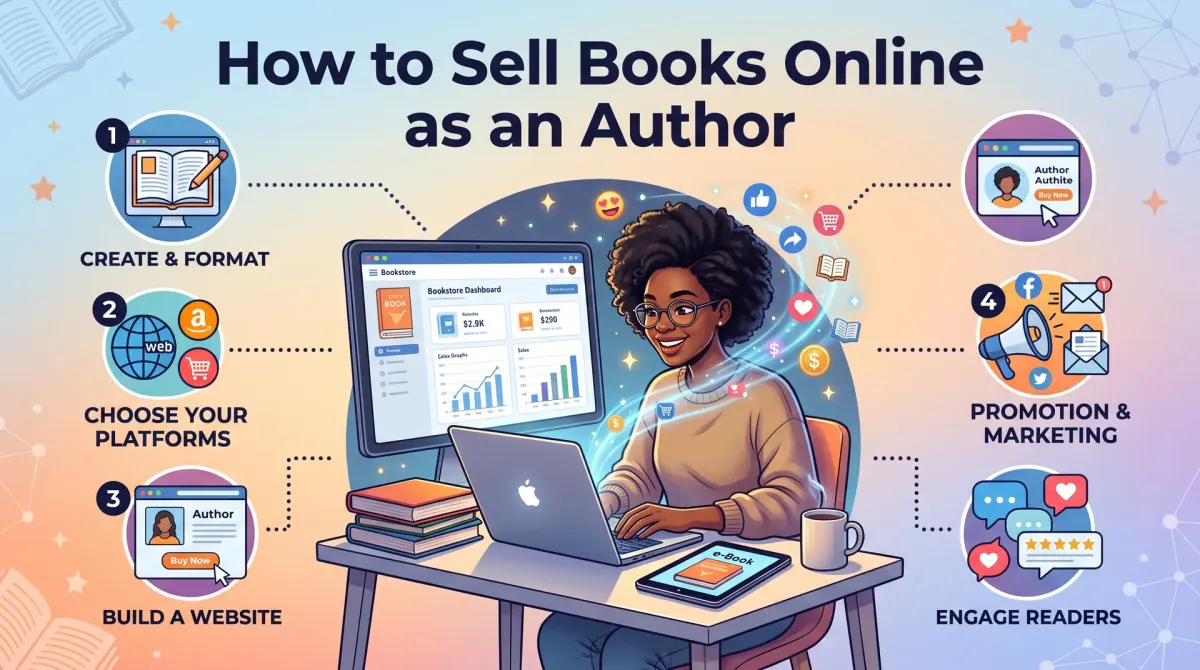
How to sell books online as an author means listing your book on a store or your own site. You set a price and bring readers to the page. You choose channels such as Amazon KDP, other stores or direct sales. Then you track profit per copy.
Online stores include Amazon KDP, Barnes & Noble Press, Apple Books, Kobo and Google Play Books. You upload your file, set a price and the store handles payment and delivery.
Distributors such as IngramSpark, Lulu and Draft2Digital send your book to many stores and libraries. You upload once and reach several channels. A distributor is a company that places your book in many retail and library systems.
Your own website lets you sell direct. You collect payment, then send the book or the file.
| Route | Setup effort | Control |
|---|---|---|
| Online store (KDP) | Low | Medium |
| Distributor | Medium | Medium |
| Own website | High | High |
Each route has trade-offs. Stores bring ready buyers. Direct sales bring better data and, often, more profit per copy.
How to sell books online on Amazon
Key takeaway: Amazon is the easiest start. It has a large audience, no setup fee and print on demand.
Many authors want to know how to sell books online amazon. Amazon KDP is the usual route. It supports ebooks and paperbacks.
The basic steps are:
- Create a KDP account.
- Enter your book details.
- Upload your manuscript and cover.
- Set your price and territories.
- Submit for review and publish.
Paperbacks use print on demand, so you do not hold stock. Amazon prints each copy after an order. Your royalty depends on price, printing cost and the store.
Our royalty calculator helps you check your numbers before you publish.
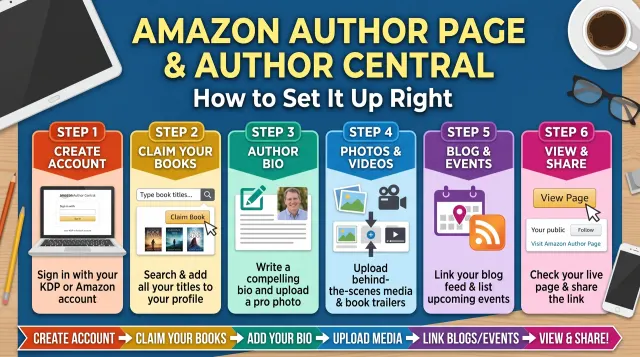
Improve your listing, since it is what readers see. Check every field again after you publish. Typos in the description or the wrong category cost sales. Use a clear cover, a strong description and fitting categories. Set up your author page so readers can find your other books.
KDP Select is an optional program for ebooks. It requires exclusivity for a set period, so you cannot sell that ebook elsewhere. Weigh it carefully.
Check the official KDP help pages for current rules and terms.
Best place to sell books online beyond Amazon
Key takeaway: Selling wide can add readers who do not shop on Amazon. Pick two or three extra channels, not ten.
People ask for the best place to sell books online, but the answer depends on your goal and format. Using more than one store can reach more readers.
Consider these channels:
- Barnes & Noble Press: a store and publishing platform for print and ebooks.
- Apple Books: reaches readers on Apple devices.
- Kobo Writing Life: strong in several countries outside the US.
- Google Play Books: an ebook store tied to Android.
- IngramSpark: a distributor that helps get print books into bookstores and libraries.
- Draft2Digital: a distributor focused on ebooks.
Each has its own terms, fees and rules. Read the official pages before you sign up.
Think about format. Ebooks work well wide because distribution is simple. Print needs more care, since printing cost and returns policies vary.
Start with one new channel at a time. Track results for a month. Then decide whether to add another.
Sell your books online from your own website
Key takeaway: Direct sales take more work but give you control of pricing, customers and email lists.
Selling direct is a strong option for authors with an audience. You choose the price, run offers and own the customer list.
You will need:
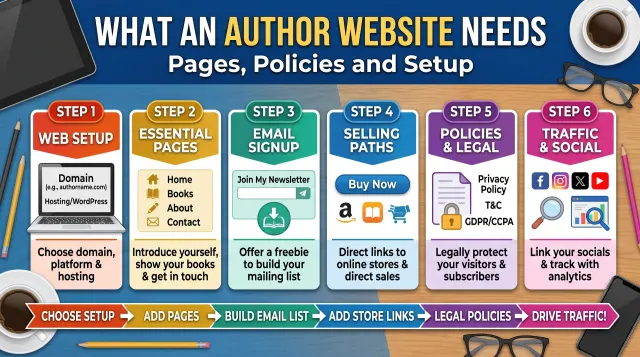
- A simple website with a book page
- A payment tool
- A way to deliver the book, such as a download link or a shipping plan
- A privacy policy and clear terms
Many authors use an ecommerce plugin or a hosted store. Fees and features vary, so compare options.
For print books, you either hold stock or use a print partner. Shipping adds cost and work. For ebooks, delivery is a download link.
Here is a worked example using sample numbers. Assume the price is $15, printing and shipping cost $6, and payment fees are $0.75. The profit per copy is 15 − 6 − 0.75 = $8.25. These are assumptions, so use your real costs.
Now compare with a store. Say a store pays a $4 royalty on the same book. Direct sales then earn $8.25 − $4 = $4.25 more per copy. However, direct sales need you to bring the buyers.
See our guide on what an author website needs for pages and policies.
Used and old books: a short note
Key takeaway: Selling used books is a different task from selling your own book. Keep the two apart.
Many searches such as how to sell old books online or sell used books online target people clearing their shelves. This is not the same as selling your own new book.
If you want to sell used books, you can list them on resale marketplaces, use buyback services or sell locally. Each has its own fees and rules.
As an author, you may also resell copies you have bought. Check each platform's rules for used and author copies. Some stores limit what you can list.
Keep this separate from your author plan. Your priority is to build your own catalogue and reader list.
A simple 30-day plan to start selling
Key takeaway: Sell in steps. Set up one store, test your listing, then add reach.
Use this plan:
- Week 1: Publish on one store. Check the cover, description and categories.
- Week 2: Set up an author page and a simple website with an email sign-up.
- Week 3: Ask early readers for honest reviews and share your link with your network.
- Week 4: Review your data. Decide whether to add a second store or direct sales.
Keep each week's tasks small. Finish the listing before you chase traffic. A clean listing converts the visitors you already have.
Track three numbers each week: page visits, sales and the money you earn per copy. If visits are high but sales are low, fix your cover or description. If visits are low, work on reach.
Our launch plan gives a week-by-week schedule.
Price your book and check profit per copy
Key takeaway: Your price must cover costs and still pay you. Work it out before launch.
Profit per copy equals the price minus printing, fees and delivery. Use this formula for every channel.
Try three price points for a paperback. Assume printing costs $5 per copy:
| Price | Printing cost | Left per copy |
|---|---|---|
| $12 | $5 | $7 |
| $15 | $5 | $10 |
| $18 | $5 | $13 |
Check each row: 12 − 5 = 7, 15 − 5 = 10 and 18 − 5 = 13. These numbers are samples. Stores also keep a share, so the real figure is lower. Use the royalty calculator for exact results.
Compare your price with similar books in your category. A price far above them may slow sales. A price far below may signal low quality and leave you little profit.
Ebooks work differently, since there is no printing. Store rules set royalty bands by price, so read the official page. Test one price for a month, then adjust and compare.
Taxes, records and rules for direct sales
Key takeaway: Sell direct only after you know your tax and policy duties.
Selling from your own site makes you responsible for more tasks than a store does. Rules differ by country and region.
- Keep a record of every sale, refund and cost.
- Ask a qualified tax professional about sales tax or VAT where you sell.
- Publish a refund and shipping policy.
- Publish a privacy policy that explains how you use customer emails.
Stores often handle some of this for you. That convenience is part of what they charge for.
Keep business money separate from personal money where you can. A separate account makes records easier at tax time.
Check platform terms too. Some programs limit where else you can sell the same ebook.
People Also Ask
What is the best way to sell books online?
Most new authors start with Amazon KDP because it is free to set up and has a large audience. Then they add other stores or their own website as they learn. The best way depends on your format, budget and readers.
How much does it cost to sell books online?
Stores like Amazon KDP have no setup fee. They take a share of each sale and charge printing costs for paperbacks. A website has costs for hosting, payments and shipping. Compare costs per copy before you choose. Run the numbers first.
Can I sell my own book without a publisher?
Yes. Self-publishing lets you list your book on stores or your own site without a publisher. You keep the rights, set the price and handle marketing. You also pay for editing, covers and any ads out of your own budget.
Common mistakes
- Using only one channel forever. Test others when you are ready.
- Ignoring printing cost. Check profit per copy before you set a price.
- Weak listing. A poor cover or description loses sales.
- No email list. Without one, you rely only on store traffic.
- Mixing used-book advice with author advice. The rules differ.
Your next step
Key takeaway: Pick one store today and calculate your profit per copy.
Open the royalty calculator and enter your price and page count. Then set a launch date.