What is an ebook?
Key takeaway: An ebook is a digital book you read on a screen. The file format decides where it opens.
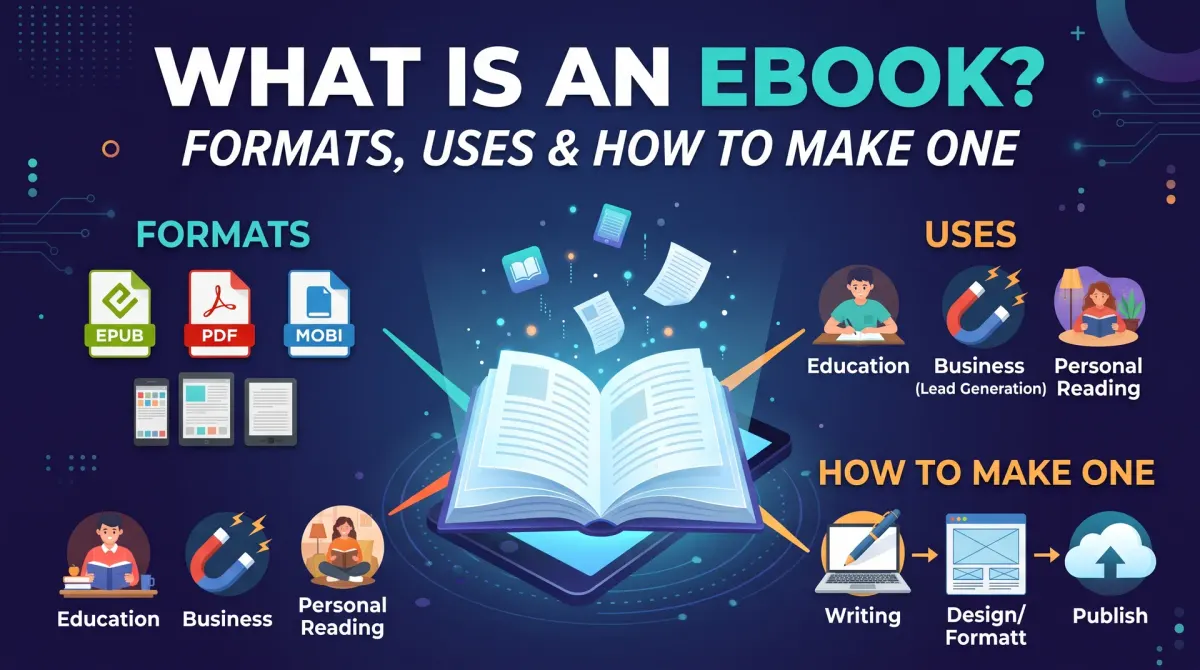
What is an ebook is a question with a short answer. An ebook, or electronic book, is a book published as a digital file. You read it on a phone, tablet, computer or dedicated e-reader. It can be a novel, a guide or a free download.
People also write it as "what is a ebook" or "whats an ebook." The meaning is the same. An ebook is the digital version of a book, or a book made only for digital use.
Ebooks come in two main layouts. A reflowable ebook changes its text to fit the screen. The reader can resize the font and the lines wrap again. Novels and most nonfiction use this layout.
A fixed-layout ebook keeps each page the same. The text and images stay in place. Children's picture books and cookbooks often use it.
What is ebook content good for? Almost anything. Novels, how-to guides, workbooks, short reports and lead magnets all work. The format suits any text that readers can scroll or page through.
Ebook formats: the ones that matter
Key takeaway: EPUB is the open standard. KDP accepts EPUB, DOC/DOCX and KPF for reflowable books.
Different devices read different files. That is why ebook formats matter. A file that opens on one device may not open on another.
EPUB is an open ebook format. The World Wide Web Consortium, called W3C, publishes it as a standard. EPUB 3.3 is a W3C Recommendation for reflowable digital books.
KPF is the file that Kindle Create produces. DOC/DOCX is a Microsoft Word file. KDP can convert a Word file into an ebook.
Here is how the main formats stand with KDP, based on its help pages.
| Format | What it is | KDP status |
|---|---|---|
| EPUB | Open standard for reflowable books | Accepted |
| DOC/DOCX | Word document | Accepted |
| KPF | Kindle Create output | Accepted |
| MOBI | Older Kindle file type | Not supported |
If you only need one safe choice, upload EPUB. It works across many stores, not only Amazon.
Not every file type is an ebook format. A web page or a plain PDF can hold a book. But they do not always behave like a reflowable ebook. Check the rules of each store before you upload.
What changed recently
Key takeaway: MOBI is no longer a supported KDP upload format.
KDP's help page lists the change in two steps.
- On August 1, 2021, KDP stopped supporting MOBI for reflowable ebooks.
- On March 18, 2025, KDP stopped supporting MOBI for fixed-layout ebooks.
If you have an old MOBI file, convert it. Rebuild it as EPUB, or upload a DOCX file. Many tutorials online still mention MOBI, so check the date on any guide you read.
Check the KDP help page for the current list before you upload. Platform rules can change again.
Ebook vs print book: key differences
Key takeaway: An ebook has no printing cost, no trim size and no spine. A print book has all three.
The two formats suit different needs. Here is how they differ in practice.
- Cost to produce. An ebook needs no printing. A print book needs a cover with a spine and an interior with a trim size.
- Reading. An ebook lets the reader resize text. A print book keeps one fixed layout.
- Delivery. An ebook downloads in seconds. A print book ships.
- Pages. An ebook has no true page count. A print book does.
Many authors publish both. The ebook reaches readers who want a quick download. The paperback serves readers who like to hold a book.
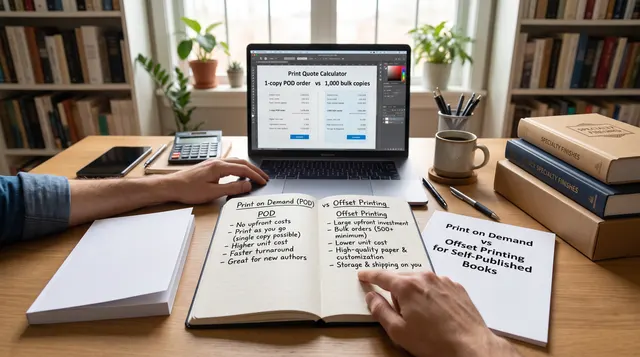
Because an ebook has no fixed pages, word count is a better measure of length. A rough reading time uses a simple formula. Here is a worked example with an assumed reading speed of 250 words per minute.
- 60,000 words ÷ 250 words per minute = 240 minutes.
- 240 minutes ÷ 60 = 4 hours.
That is an estimate, not a fact about every reader.
Platforms also pay differently for each format. For the Amazon royalty rules, read the royalty guide.
Types of ebooks authors make
Key takeaway: The type of ebook you make decides the layout, the length and the goal.
Not every ebook is a novel. Authors make several types, and each has a different job.
| Type | Typical use | Layout |
|---|---|---|
| Novel | Sold for reading pleasure | Reflowable |
| Nonfiction guide | Teaches one skill | Reflowable |
| Picture book | Sold to parents | Fixed-layout |
| Lead magnet | Free, builds a list | Either |
A novel is the simplest to format. The text flows, and chapter headings link from the table of contents. Most fiction authors start here.
A nonfiction guide may include lists, tables and images. Keep the layout simple. Complex tables can break on small screens, so test them on a phone.
A picture book needs fixed pages because the art must stay in place. This type has stricter file rules. Check your store's help pages before you build it.
A lead magnet is a short free ebook. It can be 10 to 30 pages. Its goal is to earn an email address, not a sale. Keep it focused on one useful result.
Pick the type before you write. It saves time because the format shapes your headings, images and length.
Length also varies. A lead magnet may be a few thousand words. A novel may be tens of thousands. Use your goal, not a fixed number, to set the target.
How to make an ebook: steps
Key takeaway: Write, format, check, then upload. Each step is short when you plan ahead.
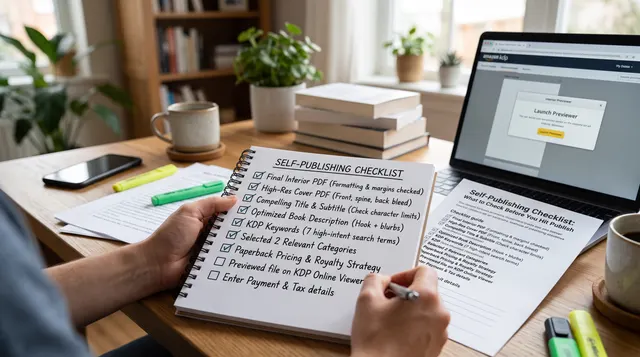
Follow this path from idea to file.
- Pick a topic and a reader.
- Write and edit the manuscript.
- Add a title page and copyright page.
- Build a linked table of contents.
- Save as EPUB or DOCX.
- Preview the file on a device.
- Upload the file and cover.
- Set the price and publish.
Step four matters for readers. KDP says a table of contents helps navigation. In Word, you apply Heading 1 to chapter titles. Then you insert the table of contents from the References menu. Kindle Create can also add a Kindle Interactive table of contents.
Step six prevents surprises. Preview the file on a phone and a tablet. Check that headings, images and links look right.
For the upload itself, follow the full walkthrough for Amazon.
Where authors sell and give away ebooks
Key takeaway: You can sell through Amazon or other stores, or give an ebook away to grow a mailing list.
Most authors start with Amazon. Amazon KDP is Amazon's self-publishing service for ebooks and paperbacks. It lets you upload, price and sell your ebook worldwide.
Some authors choose to sell on several stores instead. That approach is called selling wide. Others join an Amazon program that asks for exclusivity. Each path has trade-offs, and the choice depends on your goals.
Free ebooks have a different job. A short free guide can invite readers to join your email list. Marketers call this a lead magnet. You make the file, host it on your site and share the link.
Whichever path you choose, keep the file clean. A small ebook with a clear cover and a working table of contents looks professional.
People Also Ask
What does ebook stand for?
Ebook stands for electronic book. It is a book published as a digital file that you read on a screen. The "e" signals that the text lives on a device, not on paper. People write it as "ebook," "e-book" or "eBook."
What is the best format for an ebook?
EPUB is the best general choice. It is an open W3C standard and works across many stores. KDP also accepts DOC/DOCX and KPF files. KDP no longer supports MOBI for new uploads, so avoid it. Test the file on a phone before publishing.
Can I make an ebook for free?
Yes. You can write in Word or Google Docs, save the file and upload it to KDP at no charge. KDP does not charge to publish. You may pay for an editor or a cover, but those costs are optional.
Common mistakes
Key takeaway: Most ebook problems come from the wrong file type or skipped checks.
- Uploading a MOBI file that KDP no longer supports.
- Skipping the table of contents.
- Not previewing the file on a real device.
- Using a fixed-layout file for plain text.
- Following old tutorials without checking the date.
Your next step: pick a format and make one file
Choose EPUB or DOCX today. Then format a short test file with a title page and a linked table of contents. Preview it on your phone.
Once the test works, apply the same steps to your full manuscript.