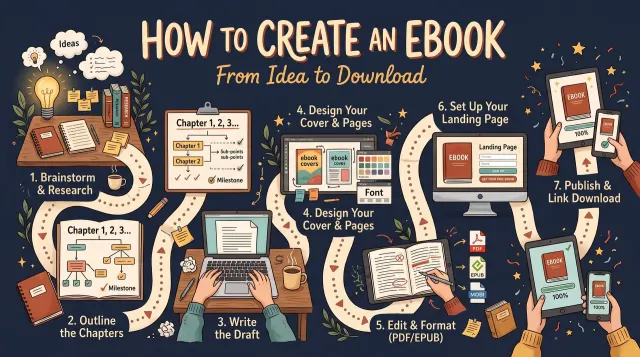
How to Create an Ebook: From Idea to Download
To create an ebook, choose a topic and a reader, then outline the chapters. Write the text and format it as an EPUB or other accepted file. Add a cover, then publish or share it.
Practical guides on printing cost, royalties, covers, files and descriptions for authors who publish on more than one platform.
Every guide starts with a short answer, shows its working and links to the official platform page behind each figure. Read how we write them in our editorial policy.
To create an ebook, choose a topic and a reader, then outline the chapters. Write the text and format it as an EPUB or other accepted file. Add a cover, then publish or share it.
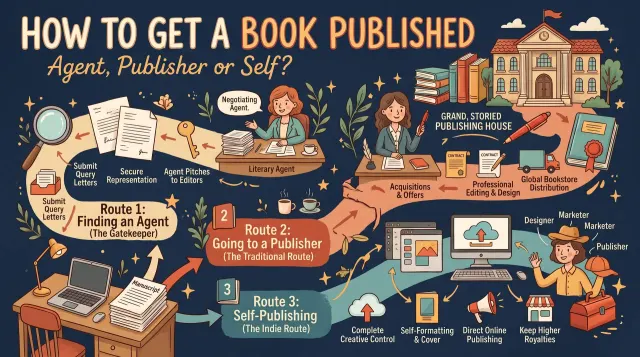
To get a book published, choose a route. You can use an agent, a small press that accepts direct submissions, or self-publishing.
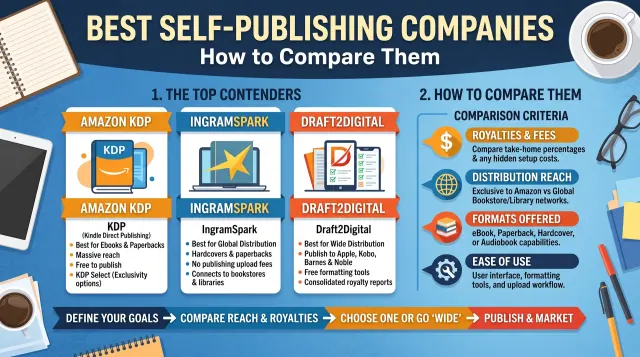
The best self-publishing company is the one that fits your goal, budget and rights needs. Platforms such as Amazon KDP, IngramSpark, Draft2Digital and Lulu let you publish with no setup fee.
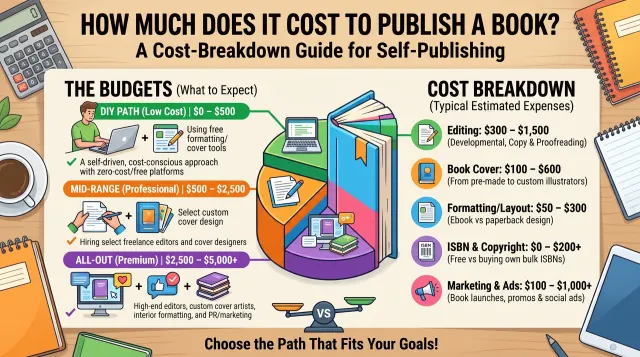
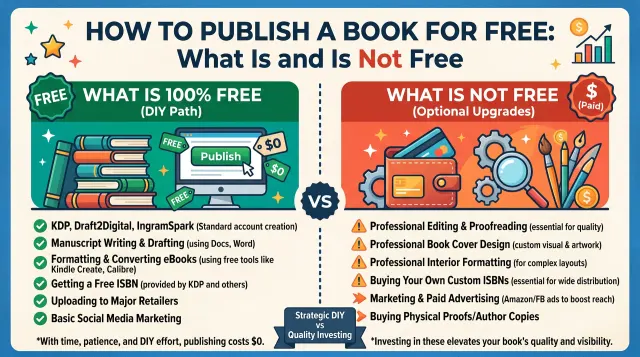
Publishing a book can cost nothing on a platform such as Amazon KDP, because there is no setup fee.
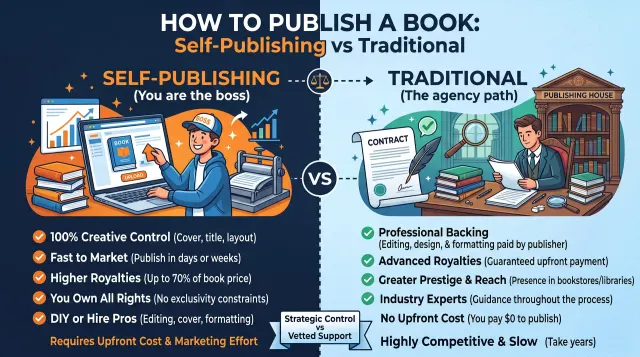
You can publish a book in three main ways. Traditional publishing means finding an agent or publisher who pays you and handles production. Self-publishing means you do the work and keep control.
You can publish a book for free on platforms such as Amazon KDP, which charge no setup fee and take a share of each sale.
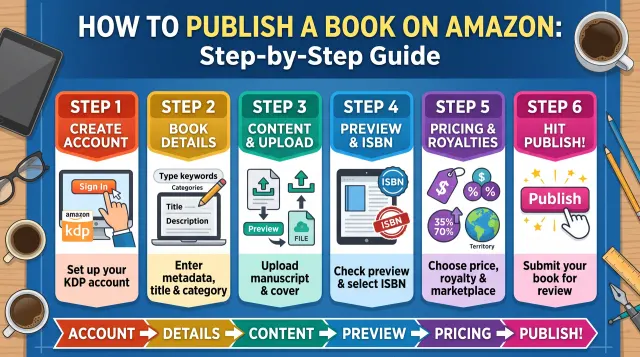
To publish a book on Amazon, create a free KDP account, add your tax and bank details, then create a new title.
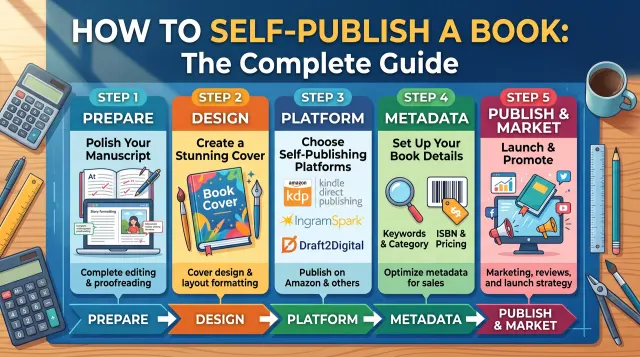
To self-publish a book, finish and edit your manuscript, format the interior, design a cover, choose a platform such as Amazon KDP, add your book details and price, then publish.
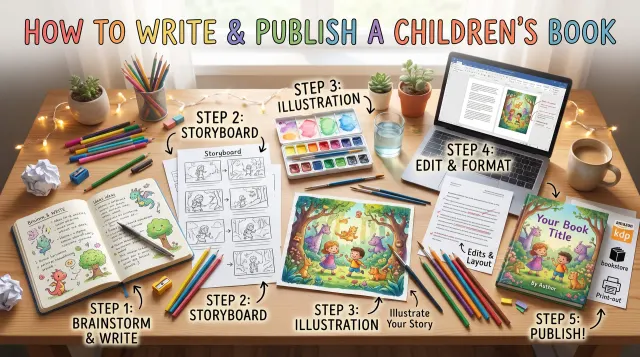
To write and publish a children's book, choose an age group, keep the story simple and plan it page by page.
Showing 9 of 17 articles