What an ebook is and which type you need
Key takeaway: First decide if your ebook is a free tool to attract readers or a product you sell. The answer shapes everything else.
If you wonder what is an ebook, the answer is simple. Ebook is short for electronic book. It is a book you read on a screen instead of paper.
How to create an ebook is a step-by-step process of planning, writing, formatting and publishing a digital book. You pick a topic and reader, then write the text. You convert it to a file such as EPUB, add a cover and share or sell it online.
People also ask what is a ebook or whats an ebook. These all mean the same thing. A Kindle ebook is simply an ebook made for Amazon's Kindle devices and apps.
There are two main types:
| Type | Goal | Typical length |
|---|---|---|
| Free lead magnet | Collect email sign-ups | Short guide |
| Paid ebook | Earn sales and royalties | Full-length book |
A lead magnet is a free resource you give away in exchange for an email address. It is usually short and focused.
A paid ebook needs more depth and a store listing. It also needs a strong cover and description.
Pick one type for your first project. Do not mix the two goals. A free guide that tries to be a full book often feels thin.
Plan your ebook: topic, reader and outline
Key takeaway: A clear reader and a short outline save weeks of rewriting.
Start by naming your reader. Write one sentence: "This ebook helps [reader] do [result]." If the sentence is vague, the ebook will be too.
Next, check demand. Search for similar ebooks. Read their titles, descriptions and reviews. Look for gaps, such as a missing topic or an audience that nobody serves.
Then make an outline. For a short ebook, write 5 to 8 chapters. Give each chapter one clear job.
Use this simple plan for the word count:
- 6 chapters × 1,500 words = 9,000 words
- At 750 words a day, 9,000 ÷ 750 = 12 days to a first draft
Add a few days for revision. A short ebook can be done in about three weeks if you write most days.
Our outline guide gives a ready format to follow.
Choose a title that tells the reader what they will get. Keep it clear and short. Add a subtitle for non-fiction.
Write and edit the text
Key takeaway: Draft first, edit later. Plain, short writing works best on screens.
Write in short paragraphs. Screens are small, and long blocks of text tire readers. Use headings so people can scan.
Keep sentences short. Use plain words. Add examples and small lists where they help.
Write the draft in a word processor. Keep one file for the whole book. Use heading styles for chapter titles, since many ebook tools read them to build the table of contents.
After the draft, rest for a few days. Then edit in two passes. First, fix big issues: missing steps, unclear points and chapters in the wrong order. Second, fix sentences and typos.
Ask one or two readers from your target group to review it. Ask what confused them.
Add a short "About the author" page and a call to action at the end. For a free ebook, the call to action might be a link to your website. For a paid ebook, ask for a review.
Be careful with images and quotes. Use only images you own or have a licence for. Credit sources where needed.
Format your ebook with an ebook template
Key takeaway: Ebooks use flowing text, not fixed pages. Keep the design simple.
Print books have fixed pages. Most ebooks use reflowable text, which means the text changes to fit each reader's screen and font size. Because of this, avoid complex layouts.
An EPUB is an open ebook file format. It is read by many apps and e-readers and is accepted by many stores. Other formats exist, so check each store's help page for accepted files.
You have three main ways to format:
- Use an ebook template. Many word processors and design tools offer one. A template sets fonts, headings and margins.
- Use formatting software. Tools such as Kindle Create, Atticus and Vellum export ebook files.
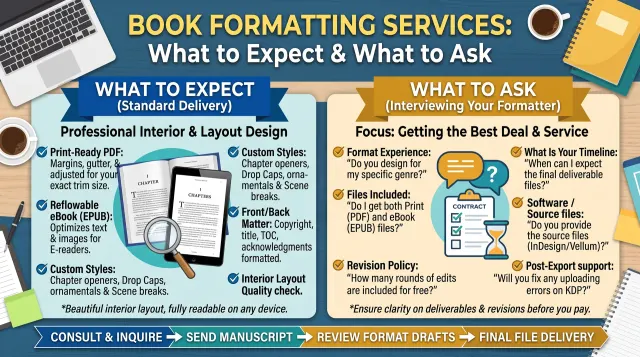
- Hire a formatter. This costs money but saves time.
Our comparison explains how the main tools differ.
Follow these formatting tips:
- Use heading styles for chapter titles.
- Insert page breaks between chapters.
- Avoid tabs and many spaces.
- Keep images small and add alt text.
- Add a linked table of contents.
Always preview the file on a phone, a tablet and an e-reader app. A layout that looks fine in a word processor may break in the reader.
Design a cover and write the description
Key takeaway: The cover and description are what readers see first. Treat them as seriously as the text.
A cover must work as a small thumbnail. Use big, clear text and a simple image. Match the style to your category.
For a free ebook, a cover still matters. A clean cover raises the sign-up rate.
You can design a cover yourself or hire a designer. Check the size rules of each store. Our cover guide covers sizes for ebook and print.
Next, write the description. Start with the reader's problem. Then say what the ebook gives them. End with a short call to action.
Keep paragraphs short. Use a few bullet points if the store allows it.
Add keywords where they sound natural. Choose categories that match your topic.
An ISBN is not always required for ebooks. Stores differ, so check each store's help page before you publish.
Publish or share your ebook
Key takeaway: Choose your channel by goal. Free ebooks go on your website. Paid ebooks go on stores.
Where you put your ebook depends on its type.
For a free ebook:
- Create a landing page with a short pitch and a sign-up form.
- Send the file by email after sign-up.
- Offer a PDF or EPUB link.
For a paid ebook:
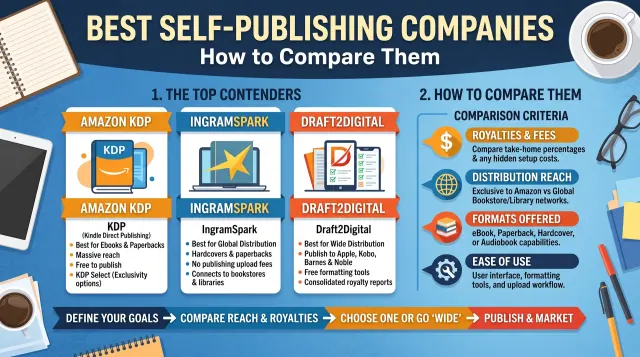
- Publish on Amazon KDP, which has no setup fee.
- Consider other stores such as Apple Books, Kobo and Google Play Books.
- See Kobo Writing Life for its author terms.
- Compare royalty terms before you pick.
KDP asks you to enter your details, upload your file and cover, set a price and select categories. The platform then reviews your book.
Check the official KDP help pages for current rules.
You can also sell directly from your own website. That route gives you control but needs payment and delivery tools.
Plan a simple launch. Tell your email list, post on social media and ask early readers for honest reviews.
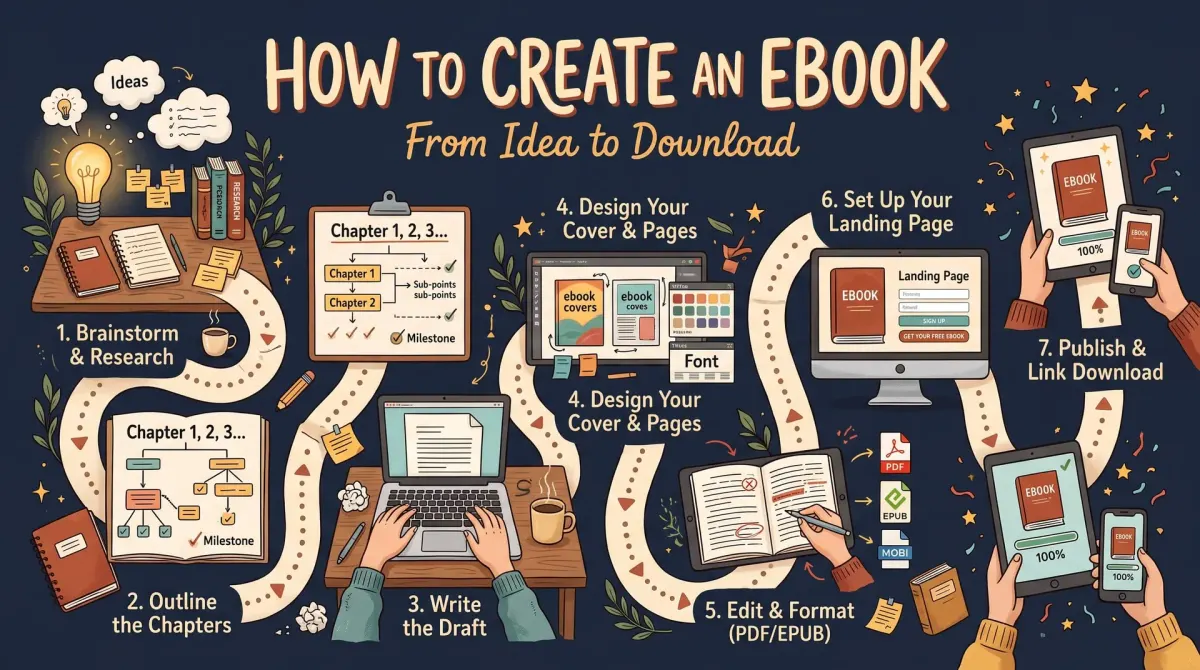
How to create an ebook: 7 steps
Key takeaway: Use this checklist from start to finish.
Here is the full process in order:
- Choose your topic and reader.
- Outline five to eight chapters.
- Write the first draft.
- Edit in two passes.
- Format using a template or software.
- Add a cover and description.
- Publish or share the file.
Give yourself a deadline for each step. Writing fills the time you give it.
Price your ebook and plan free offers
Key takeaway: Price follows your goal. Free ebooks build a list, and paid ebooks earn royalties.
Your goal decides the price. Use these simple rules.
- For a lead magnet, the price is zero. Your return is an email address.
- For a paid ebook, check similar titles in your category and start near their range.
- Test one price for a few weeks. Then change it and compare results.
- Read the store's royalty rules before you pick a price, since they can depend on price bands.
Store royalty terms change, so read the official page. Our KDP ebook royalty guide explains the options.
Consider a bundle. Several short ebooks on one topic can later sit together as a box set. You can also make a free ebook the first part of a paid series.
Track results each week. Note downloads, sales and sign-ups. The data shows what to fix next.
People Also Ask
What is an ebook?
An ebook is an electronic book you read on a screen, such as a phone, tablet, computer or e-reader. It is stored as a file and often uses a format like EPUB. Ebooks can be free or sold, and they cover fiction and non-fiction.
How long should an ebook be?
It depends on the goal. A free lead magnet can be short, such as a few thousand words. A paid non-fiction ebook usually needs more depth. Match the length to the promise you make. Check similar ebooks in your category for a guide.
Can I create an ebook for free?
Yes. You can write in a free word processor and convert to EPUB with free tools. You can publish on platforms such as Amazon KDP without a setup fee. A cover designer or editor costs money, but many authors start with free tools.
Common mistakes
- Using complex layouts. Reflowable ebooks need simple formatting.
- Skipping the preview. Always test on several devices.
- Writing for everyone. A clear reader gives a clear book.
- Using a weak cover. A thumbnail must be readable on a phone.
- Ignoring store rules. Read the help page before you upload.
Your next step
Key takeaway: Pick your topic and set a deadline today.
Write your reader sentence and a six-chapter outline. Then choose a daily word goal. When your ebook is ready, use the checklist before you publish.