Start with the printing cost
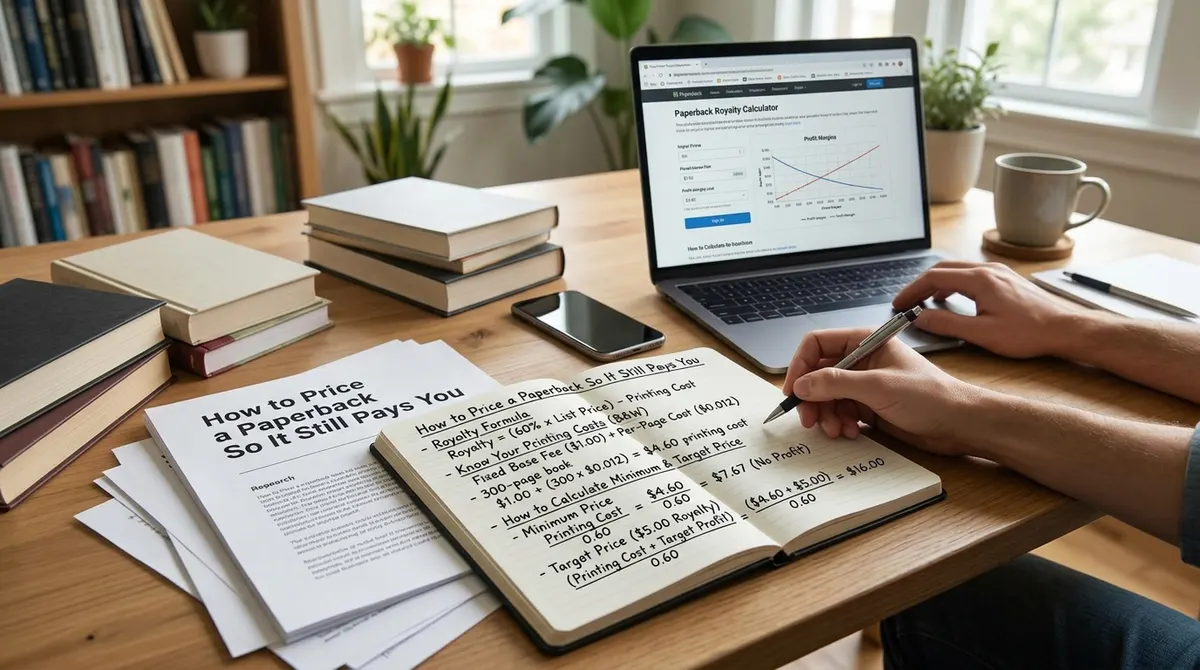
KDP prints on demand and subtracts the printing cost from every sale. On Amazon.com a black-ink book in a regular trim size costs $1.00 plus $0.012 per page once it passes 110 pages. So a 250-page book costs $1.00 + (250 x $0.012) = $4.00.
Key takeaway: Your royalty is the royalty rate times the list price, minus the printing cost. The cost comes off after the percentage.
Example 1: a 250-page novel at $12.99
At $12.99 the 60% rate applies on Amazon.com. 0.60 x 12.99 = $7.79. Subtract the $4.00 printing cost and you keep about $3.79 per copy.
Example 2: the same book at $9.98
One dollar lower looks harmless. It is not. At $9.98 the rate is 50%, because the 60% tier starts at $9.99. 0.50 x 9.98 = $4.99, minus $4.00 leaves about $0.99. You gave up roughly $2.80 per copy to save the reader three dollars.
| List price | Rate | Royalty per copy |
|---|---|---|
| $9.98 | 50% | about $0.99 |
| $9.99 | 60% | about $1.99 |
| $12.99 | 60% | about $3.79 |
The middle row is the cheapest price that uses the better rate. A one-cent move from the first row to the second doubles the royalty.
Example 3: a large trim book
KDP treats a trim size as large when it is wider than 6.12 inches or taller than 9 inches. A 300-page black-ink book costs $4.60 in a regular trim size and $6.10 in a large one ($1.00 + 300 x $0.017). At $19.99 and 60%, that large book earns about $5.89 per copy.
The lesson: a bigger page is a real cost. If the bigger trim size does not help the reader, a regular trim size keeps your margin.
Find your lowest possible price
KDP will not accept a list price below the printing cost divided by the royalty rate. For the 250-page book, the 50% tier gives $4.00 / 0.50 = $8.00. At $8.00 you earn nothing, so treat it as a floor, not a target.
Tier boundaries differ by store
The 60% rate does not start at $9.99 everywhere. Each marketplace has its own boundary in its own currency:
| Store | 50% up to | 60% from |
|---|---|---|
| Amazon.com (USD) | $9.98 | $9.99 |
| Amazon.co.uk (GBP) | 7.98 | 7.99 |
| Amazon.ca (CAD) | 13.98 | 13.99 |
| Amazon.com.au (AUD) | 13.98 | 13.99 |
Review the price in every marketplace in the Rights and Pricing step instead of assuming a converted price lands on the right side of the boundary.
What Expanded Distribution does to your math
Expanded Distribution pays 40% of the list price minus printing cost. On the 250-page book at $12.99 that is 0.40 x 12.99 = $5.20, minus $4.00, so about $1.20 per copy against $3.79 on Amazon. Sales through that channel are worth having, but they are not the same money.
When a lower price makes sense
Pricing low can make sense for a launch or a first book in a series. Do it knowingly. Work out the royalty at the lower price, decide how long you will run it and set a reminder to review. A temporary price that stays forever is a common way to earn less than you planned.
Mistakes to avoid
- Changing the page count after you set the price.
- Choosing a price from a competitor's book without checking their trim size and page count.
- Setting the price in one currency and never opening the other stores.
- Forgetting that a hardcover or color edition needs its own calculation.
A simple pricing routine
- Work out the printing cost for your page count, ink and trim size.
- Find the tier boundary for your marketplace.
- Check three prices around the boundary.
- Compare with five similar books in your genre.
- Choose the lowest price that still pays you fairly.
The royalty calculator does steps 1 to 3 for every marketplace. Our guide to KDP printing cost and royalty explains where the numbers come from, and the platform rules page links each figure to KDP's help page.
Check before you publish
KDP can change printing costs and tiers. These figures were read from KDP's help pages on 15 October 2026. Confirm the final cost and royalty in the Rights and Pricing step of your title setup.