The printing cost formula
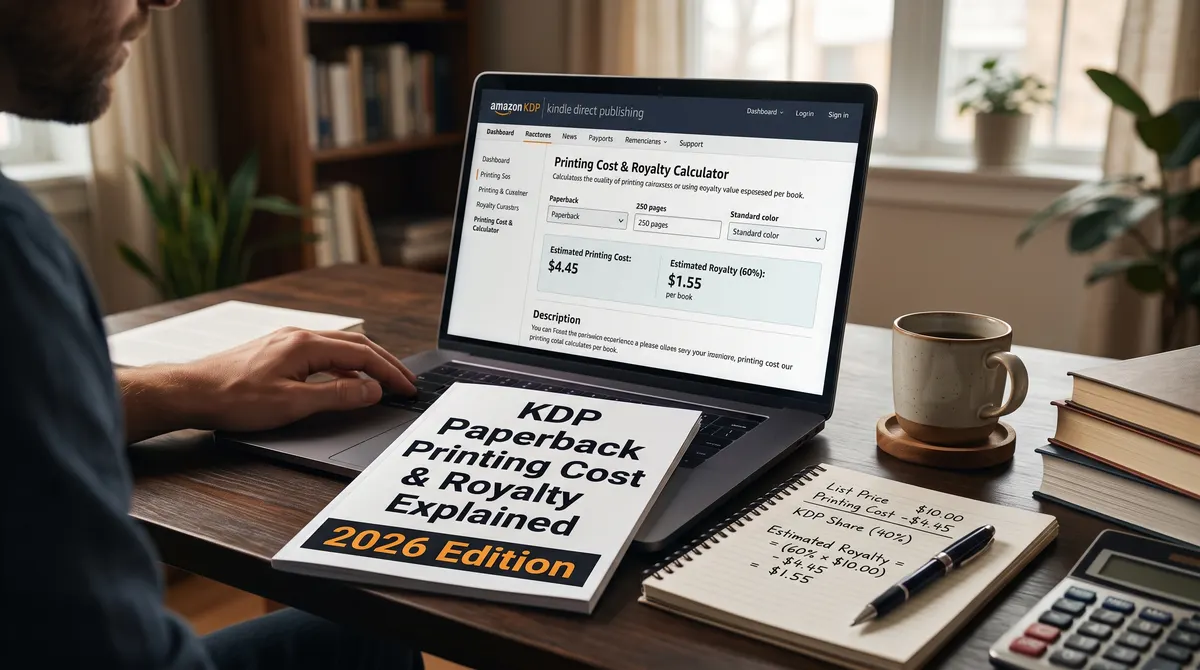
KDP prints on demand, so there is nothing to pay upfront. Instead, the printing cost is deducted from each sale using this formula: fixed cost plus pages multiplied by a per-page cost. The amounts depend on the Amazon store where the reader ordered, your page count, the ink type, and whether your trim size counts as large (wider than 6.12 inches or taller than 9 inches).
For a black-ink book sold on Amazon.com, KDP lists the following on its printing cost page:
- 24 to 110 pages: a flat $2.30 per book for regular trim sizes, or $2.84 for large trim sizes. There is no per-page charge in this range.
- 111 to 828 pages: $1.00 fixed plus $0.012 per page for regular trim sizes, or $1.00 plus $0.017 per page for large trim sizes.
KDP's own example is a 300-page regular trim paperback sold in the United States: $1.00 + (300 x $0.012) = $4.60. Color interiors are much more expensive, which is why most text-only books use black ink.
The royalty tiers
KDP now pays either 50% or 60% of the list price on paperbacks sold on Amazon stores, depending on the price and the marketplace. On Amazon.com the 50% rate applies up to $9.98 and the 60% rate applies from $9.99. If you turn on Expanded Distribution, the royalty is 40% of the price in that channel. In every case the printing cost is subtracted after the percentage is applied:
(royalty rate x list price) - printing cost = your royalty
A worked example
Take a 300-page black-ink paperback at $14.99. The printing cost is $4.60, and at that price the 60% rate applies. 0.60 x 14.99 = $8.99, minus $4.60 leaves about $4.39 per copy. Drop the price to $9.98 and the rate falls to 50%: 0.50 x 9.98 = $4.99, minus $4.60 leaves only about $0.39. A one-cent price change at the threshold matters a great deal, so check both sides of it.
How ink and paper change the cost
The black-ink formula above is the cheapest option. Color costs more per page, and the gap is large. On Amazon.com, for a regular trim size, KDP lists these costs:
| Ink type | Cost formula | 150 pages |
|---|---|---|
| Black ink | $1.00 + $0.012 per page | $2.80 |
| Standard color | $1.00 + $0.0255 per page | about $4.83 |
| Premium color | $1.00 + $0.065 per page | $10.75 |
Standard color needs at least 72 pages. Premium color is for books where image quality matters more than margin, such as photo books and art books. For a text book, color pages you do not need are money thrown away.
The same book costs different amounts in different stores
KDP prints in the country where the reader orders, and each marketplace has its own table. A 300-page black-ink book in a regular trim size costs:
- $4.60 on Amazon.com ($1.00 + 300 x $0.012)
- about 3.85 GBP on Amazon.co.uk (0.85 + 300 x 0.010)
- about 4.35 EUR on the EU stores (0.75 + 300 x 0.012)
The royalty tier boundaries differ by store too, so a price that works in the US may not work in the UK. Check each marketplace in the Rights and Pricing step.
Hardcovers cost more again
KDP's own example is a 300-page black-ink hardcover sold on Amazon.com, which costs $9.10 to print. That is nearly double the paperback cost for the same page count. If you offer both formats, price them separately and run the numbers for each.
Common pricing mistakes
- Pricing before the page count is final. A late chapter or a bigger font changes the cost. Lock the interior first.
- Ignoring the tier boundary. A price of $9.98 earns far less than $9.99 on Amazon.com.
- Forgetting Expanded Distribution pays less. Sales through that channel pay 40%, not 50% or 60%.
- Copying a competitor. Their book may have fewer pages, a smaller trim size or a different ink, so their cost is not yours.
Finding your minimum price
KDP will not let you list a book below its minimum list price, which is the printing cost divided by the royalty rate. At the 60% tier a $4.60 printing cost gives a minimum of about $7.67, but that figure sits below $9.99, where the 50% rate applies, so the real minimum is higher. Our royalty calculator handles these tier boundaries for you.
Before you rely on any figure
Printing costs and royalty rules change. The numbers above were read from KDP's help pages on 15 October 2026. Always confirm your final cost in the Rights and Pricing section of your KDP title setup, and compare platforms on our platform rules page, where every figure links back to its source.