What Amazon KDP does
Key takeaway: KDP is a free self-publishing tool. You keep the rights to your book, and Amazon sells and prints it for a share of each sale.
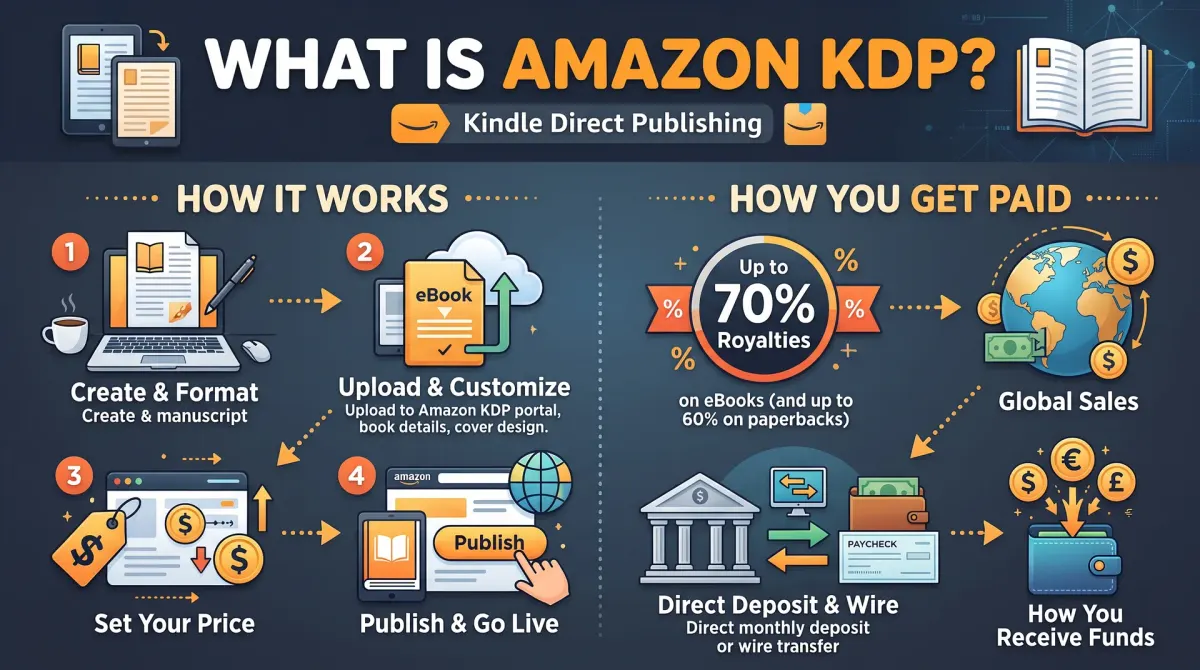
Amazon KDP is Amazon's free self-publishing service. It lets authors upload an ebook, paperback or hardcover, set their own price and earn a royalty on every sale, while Amazon handles the store, the printing on demand and the payment to the author.
KDP stands for Kindle Direct Publishing. It lets any author upload a manuscript and a cover and offer the book on Amazon stores. There is no gatekeeper and no publisher deal. You decide the title, the price and the description.
You can publish three formats:
- Ebook. A digital file that readers open on a Kindle device or the Kindle app.
- Paperback. A printed book with a soft cover.
- Hardcover. A printed book with a case-bound cover.
Print books are made on demand. Nothing is printed until a reader buys a copy. That means you carry no stock and pay no upfront printing bill. The printing cost is taken out of each sale instead.
How KDP makes money for authors
Key takeaway: Your royalty depends on the format, the list price and, for print, the printing cost. Work it out before you set a price.
Each format has its own royalty rule. The figures below come from KDP's own help pages.
| Format | Royalty rate | What is taken out first |
|---|---|---|
| Paperback | 60% of list price | Printing cost |
| Hardcover | 60% of list price | Printing cost |
| Ebook (70% option) | 70% of list price | Delivery cost per MB |
| Ebook (35% option) | 35% of list price | Nothing extra |
| Expanded Distribution (print) | 40% of list price | Printing cost |
The 70% ebook rate applies only inside a price band. For Amazon.com, the band is $2.99 to $12.99. Outside that band, the 35% rate applies.
Here is a worked example for a paperback. Take a 6 x 9 inch black-and-white book with 300 pages, sold on Amazon.com at $14.99.
- Printing cost: $1.00 fixed plus 300 pages at $0.012 per page. That is $1.00 + $3.60 = $4.60.
- 60% of the list price: 0.60 x $14.99 = $8.99.
- Your royalty: $8.99 - $4.60 = $4.39 per copy.
You can check this with the free calculator on this site.
What you need before you start
Key takeaway: A KDP account, tax details and a payment method come first. The book files come second.
To publish, you need four things.
- A KDP account. You can sign in with an existing Amazon login.
- Tax and payment details. KDP asks for tax information and a bank account so it can pay you.
- A manuscript file. For print, this is a formatted PDF. For ebooks, it is usually a file made with a word processor or Kindle Create.
- A cover. KDP has a free Cover Creator, or you can upload your own cover file.
You also need the book's details: title, author name, description, keywords and categories. Those details decide how readers find your book.
ISBNs on KDP
Key takeaway: Print books need an ISBN. Ebooks do not. KDP gives a free ISBN for print, but it only works on KDP.
Each print format needs its own ISBN. Ebooks do not need one. With the free KDP ISBN, the imprint shows as "Independently published". If you buy your own ISBN, you can use your own imprint name and sell the same edition elsewhere.
How long it takes and when you get paid
Key takeaway: Plan for about three business days to go live, and about 60 days after month end for your first payment.
KDP says a new book or an update usually takes up to three business days to go live. A first-time publisher can wait up to six days for a print book. Low-content books, such as journals, can take much longer to review.
Royalties are paid about 60 days after the end of the month, once you reach the minimum threshold for payment. For example, sales made in March are paid at the end of May.
What KDP does not do
Key takeaway: KDP sells your book. It does not market it, edit it or build your audience.
KDP gives you a store shelf. It does not write, edit, design or promote your book. A great book on a quiet shelf still sells slowly. You need a clear title, a strong cover, a good description and some way to reach readers.
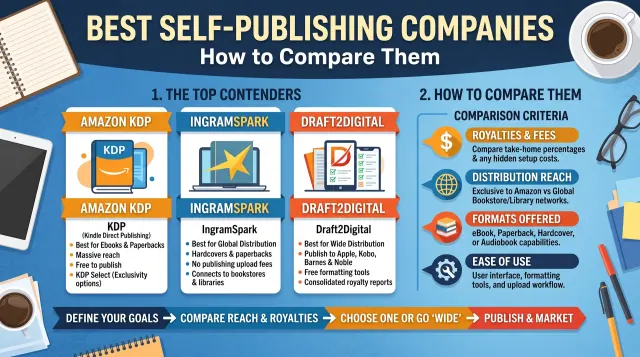
KDP also reaches mainly Amazon readers. Other stores and many bookshops do not stock KDP print books unless you add Expanded Distribution, which pays a lower rate. If wide distribution matters to you, compare other platforms too.
Is KDP right for you?
Key takeaway: KDP suits authors who want the largest single reader base and no upfront cost.
KDP is a good fit if you:
- want to test a book before paying for wider distribution
- sell mostly through Amazon
- want to keep full control of price, cover and content
Consider adding other platforms if you want your book in many ebook stores, libraries or physical bookshops.
Ebook royalty example
Key takeaway: The 70% ebook rate is not always the best deal. File size and price both change what you keep.
For ebooks on the 70% option, KDP takes a delivery cost based on file size. KDP lists this as $0.15 per MB for Amazon.com. A plain-text novel is often under 2 MB, so the cost is small. An ebook full of images can be much larger, and the delivery cost grows with it.
Take a 2 MB ebook priced at $4.99 on Amazon.com.
- 70% of $4.99 is $3.49.
- Delivery cost: 2 MB x $0.15 = $0.30.
- Your royalty: $3.49 - $0.30 = $3.19 per sale.
On the 35% option, the same book earns 0.35 x $4.99 = $1.75, with no delivery cost taken out. The 70% option pays more here. Check the live rules on the KDP pricing page before you set a price, because rates and price bands differ by store.
Mistakes new KDP authors make
Key takeaway: Most early problems come from rushing the setup, not from KDP itself.
These are the mistakes that cost new authors time or money:
- Skipping the proof copy. A printed proof shows margin, cover and image problems that a screen preview can hide.
- Pricing before checking the printing cost. A low price can leave almost nothing after printing cost.
- Copying a cover template without checking trim size. A cover must match your trim size and page count.
- Choosing vague keywords. Readers search with specific phrases, so the book's keywords and categories should match them.
- Ignoring the content rules. KDP can reject a book for copied text, misleading titles or missing rights.
You can avoid most of these with a short checklist. Run through it before you press Publish.
KDP and AI-generated content
Key takeaway: KDP asks you to tell it when content is AI-generated. You stay responsible for the final book.
KDP has rules for AI-generated content. When you publish, you are asked to say whether your text, images or translations were made with AI tools. Content you edit heavily with AI assistance is treated differently from content a tool generated. Read the current content guidelines before you publish, because the wording can change.
A simple way to think about KDP
Think of KDP as a printing press, a shop window and a payment desk in one place. You supply the files and the price. Amazon prints each paperback when a reader orders it, sends it, and pays you a royalty later.
This makes KDP a good first step. You can test a book without buying stock. You can fix a typo and upload a new file. You can change the price when you learn more about your readers.
The trade is control. Amazon sets the rules for content, covers and files. It also decides how your book appears in its store. You can influence that with a good title, a clear description and the right categories, but you cannot buy a guaranteed spot.
What a first KDP book needs
Before you open the dashboard, gather a few things. Keep them in one folder so the upload takes one sitting.
- A finished, edited manuscript.
- A print-ready interior file for paperbacks.
- A cover that fits your trim size and page count.
- A title, subtitle, description and seven keyword ideas.
- Two categories that fit the book.
- Your tax details, filled in on the KDP site.
The cover is the item people forget. The width of the spine depends on the page count, so the cover file must come after the interior file is final. The KDP cover calculator gives the exact size.
KDP formats at a glance
KDP supports three formats, and each suits a different reader. An ebook is cheap to make and quick to change. A paperback is the usual choice for readers who like print. A hardcover costs more to print and often serves gifts, libraries and collectors.
Most authors start with an ebook and a paperback. Both can share one title page on Amazon, so readers see the formats side by side. Keep the text, the title and the description the same on both. Differences confuse buyers.
If you add a hardcover later, you need a new cover file because the hardcover spine and wrap differ. Use the KDP cover calculator again for that edition.
What KDP does not do for you
KDP does not edit your book. It does not design your cover or check your facts. It does not market the book to readers, other than showing it in the store.
The store has millions of titles, so a new book does not sell by itself. Readers find books through search, categories, recommendations and the author's own efforts. A clear title, a good description and honest reviews help the most.
KDP also does not make your book legal to sell. You are responsible for rights, permissions and the accuracy of your claims. If you use quotes, images or music, keep the licences. This is especially important for health, money and legal topics.
Keeping your KDP account in good order
Treat your KDP account like a small business account. Use a strong password and turn on two-step sign-in. Keep your tax details and payment details current. Save the confirmation emails you receive.
Check your Bookshelf once a month. Look at the status of each book, read any notices and review your reports. If a book is flagged, act on the notice at once. Waiting can delay your sales.
Keep a simple file with each book's title, trim size, ISBN, publication date and price. This record helps when you update the book or move to another platform.
People also ask about Amazon KDP
Is Amazon KDP free to use?
Yes. KDP charges no setup fee and no listing fee. Amazon keeps a share of each sale instead, and for print books the printing cost is taken from the price. You may still pay for outside help such as editing, cover design or your own ISBN, but those costs are optional.
Who owns the rights to a book published on KDP?
You keep the rights to your book. KDP asks for a non-exclusive licence to sell and print it, so you can sell the same book elsewhere unless you join KDP Select for ebooks. Read the current terms on the KDP help pages before you publish.
How long does it take to publish on KDP?
Review usually takes up to a few days, and KDP says so on its own pages. Paperbacks can take longer than ebooks. Check the status on your Bookshelf, and allow extra time if you order a proof copy before you approve the book.
When KDP is the right start
KDP suits most first books. It costs nothing to begin, it reaches a very large store and it pays a clear royalty. It is a strong choice for non-fiction, fiction and low-content books alike.
It is a weaker fit if you want bookshop shelf space, since a KDP print book is mainly sold online. In that case, compare other print platforms before you decide. You can still start on KDP and add a second platform later.
Whatever you choose, keep your own copy of every file and note every setting you use. That record saves time when you update the book.